Quiz me

You can use the Quiz me feature in Genio to generate a multiple choice style quiz based upon a single recording, or multiple recordings that are saved in a Collection.

The quiz is AI generated based upon the transcription in your recordings. You will need to transcribe the recordings for this to work.  See our guide to transcription.

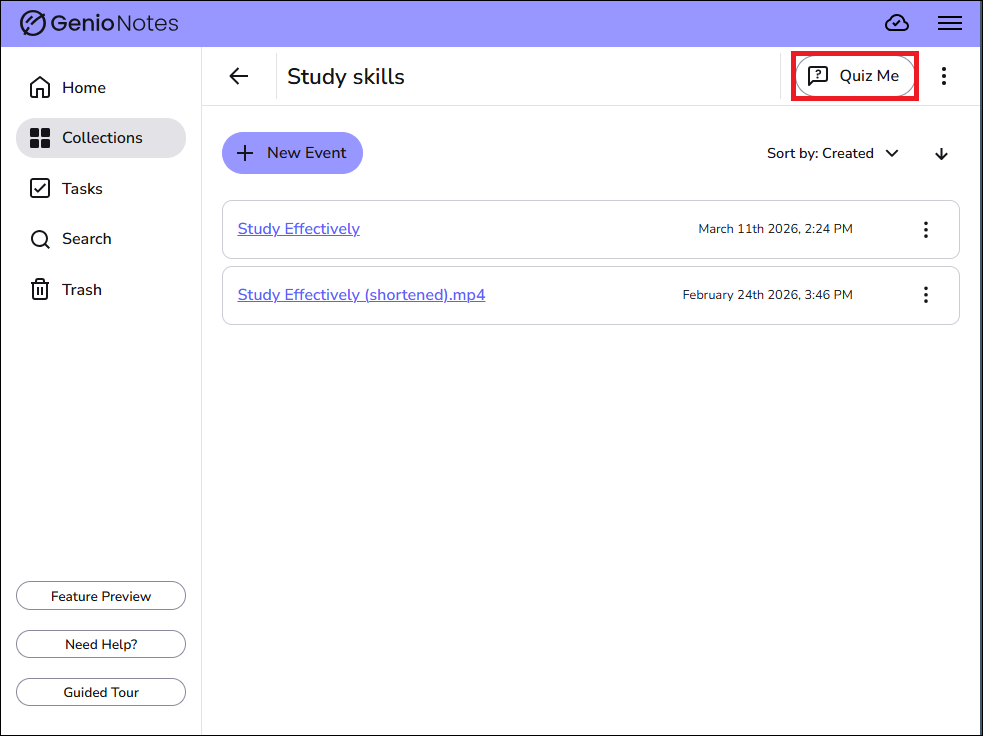
Go to the Collections screen and select the collection that you want to base a quiz on.  Press on the Quiz Me button.

quiz me button on the collections screen

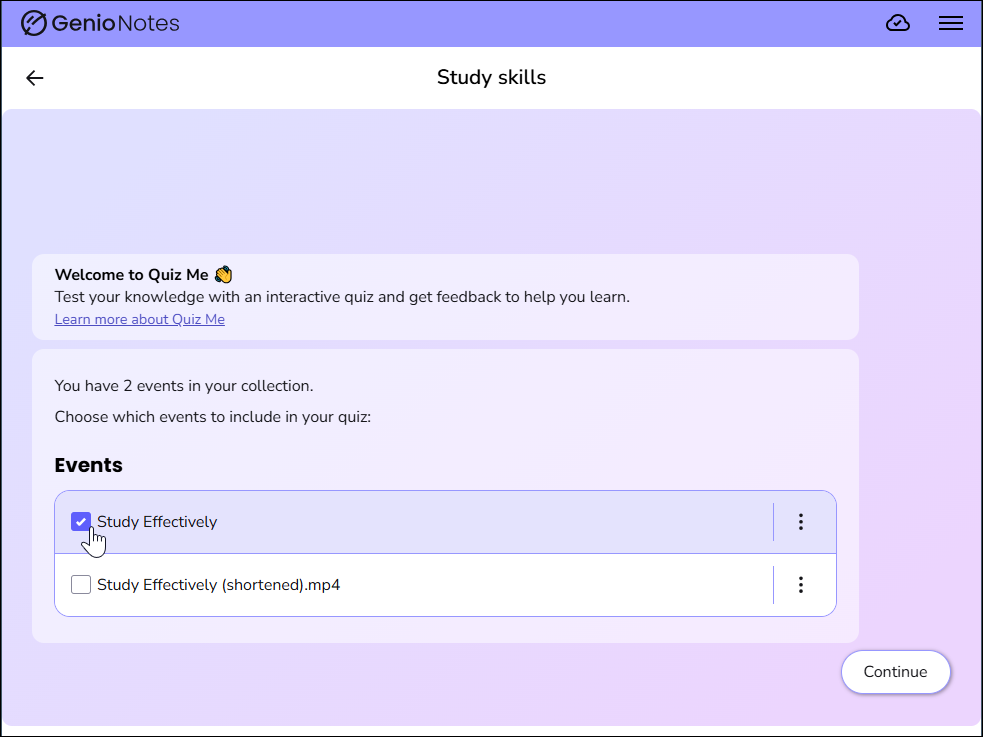
This will open the Quiz Me welcome screen. From here, you can select which events (recordings) you want to include within the quiz. Just press in the checkboxes to select the required events. Then press on Continue.

quiz me screen showing events to select

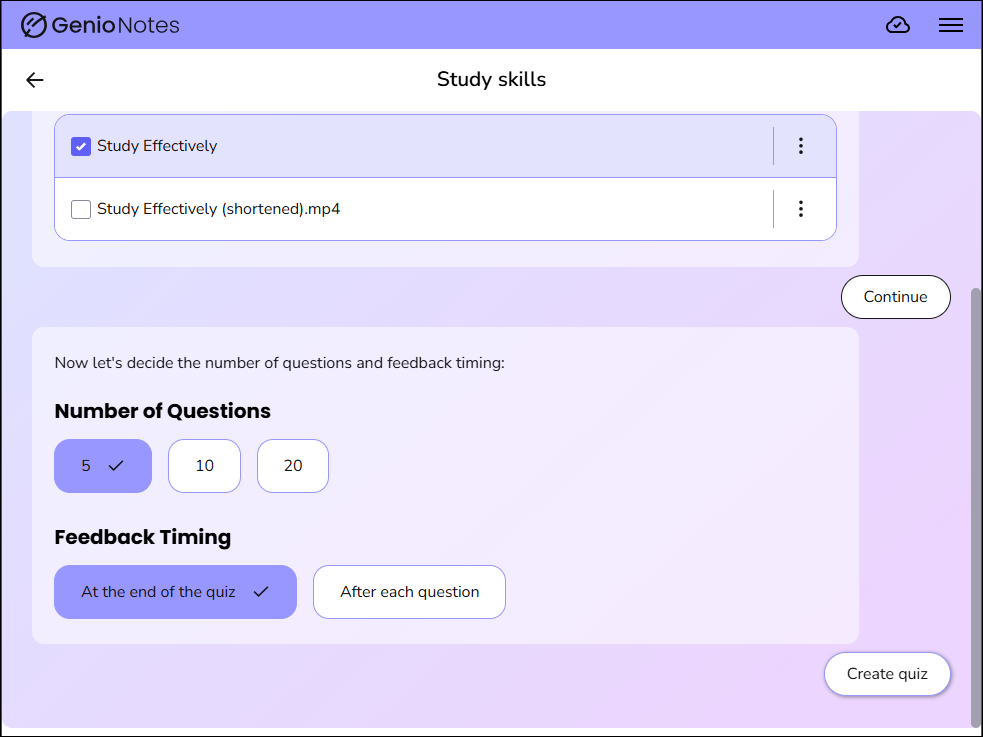
Next, you will have the choice of number of questions you want the quiz to generate, along with choosing when to received feedback - this can be shown after each question or at the end of the quiz. Once you have chosen your options, press on Create quiz.

quiz me options for choosing the number of questions and feedback style

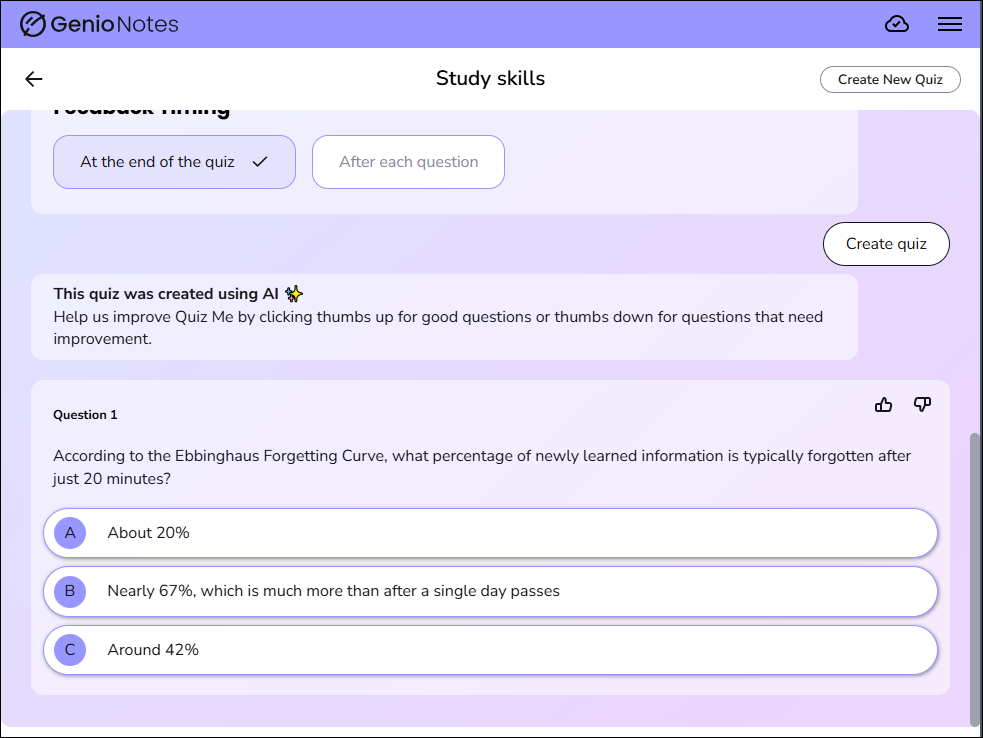
The quiz will now begin. You will see the first question along with options for the answer. Press on your chosen answer for it to progress to the next question.

image showing the first quiz question